My Mints
My Mints is your audit trail. Every mint you've scheduled lives here, and every on-chain attempt — manual or auto — shows up the moment it broadcasts.
Enterprise feature. Requires a configured Trading Wallet.
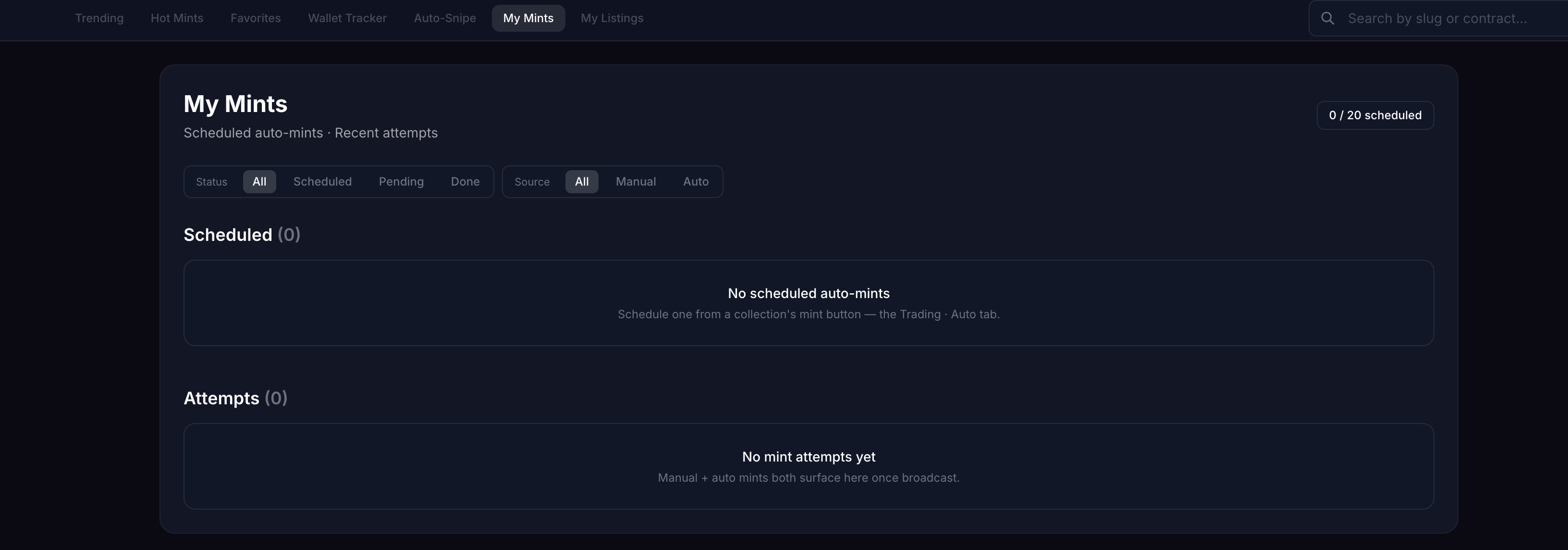
Two sections, one view
Scheduled lists every auto-mint you've armed for a future phase. Attempts lists every broadcast — manual or auto — once it's left your wallet. The page polls every 5 seconds so a pending transaction visibly resolves to success or reverted without a refresh.
Filters
Two filters at the top, both server-side:
- Status —
All·Scheduled·Pending·Done - Source —
All·Manual·Auto
Filters write to the URL (?status=…&source=…), so a filtered view is shareable and survives a refresh.
Wallet origin: LOGIN vs TRADING
Every row is tagged by which wallet it came from:
- LOGIN — the wallet you connected to the site (Rabby, MetaMask, WalletConnect). Used when you sign a manual mint yourself.
- TRADING — your Trading Wallet, the encrypted key Daily-Mints fires with. Used for auto-mints and one-click listing buys.
This distinction matters when reading the attempts feed: a TRADING attempt fired without prompting you, a LOGIN attempt was a manual click you confirmed.
Scheduled — states
| State | Meaning |
|---|---|
| scheduled | Armed for a future phase. Cancellable until pre-sign. |
| locked | Pre-signed at T-30s; price + gas locked in. Cancellable until T-0. |
| fired | Broadcast to the network. See the matching row in Attempts. |
| cancelled | You cancelled it before fire. |
| failed | Pre-sign or pre-fire-verify failed (e.g. on-chain price drifted above the signed price). |
The 20/20 active-cap counts scheduled + locked only. Cancel or wait for fire/expiry before scheduling more.
A cancelled row stays in the feed so you can see what didn't fire.
Balance check before the start. Ethereum auto-mints check the Trading Wallet well before pre-sign: shortly after you schedule, and again 10 minutes before the start. If the wallet can't cover the mint price plus worst-case gas — counting every earlier scheduled mint from the same wallet — the row shows Top up needed and you get a notification with the amount to add. The check re-runs every few minutes, so the note clears once the wallet is funded.
Attempts — states
| State | Meaning |
|---|---|
| pending | Broadcast to the mempool, not yet mined. |
| success | Confirmed on-chain. |
| reverted | Mined but the contract reverted (sold out, paused, max-per-wallet hit). |
| dropped | Replaced or evicted before mining. |
| cancelled | Cancelled before broadcast. |
Row anatomy
Each row shows:
- Collection + phase (e.g.
slimezz · Allowlist) - Quantity as
×N(e.g.×3for a triple-buy) - Phase timer — live countdown until phase start (for
scheduled); switches to time-since-fire forfired/success - Wallet pill —
LOGINorTRADING
Price protection (drift verify)
Auto-mints fire at the exact phase price shown when you scheduled. There is no slippage option — if the dev bumps the price last minute, the transaction is not broadcast.
How it works:
- At pre-sign (T-30s): Daily-Mints reads the on-chain phase price and stores it as the signed price in the row.
- At fire (T-0): A pre-fire verify re-reads the on-chain price. If it has drifted above the signed price, the transaction is not broadcast and the row moves to
failedwith an explanatoryerror_reason. Fail-closed — your funds stay put.
You'll see the signed price on locked and fired rows so you know exactly what was committed before broadcast.
Gas presets
When you schedule a mint you pick a gas mode. Daily-Mints reads live mempool data via eth_feeHistory right before pre-sign and resolves the mode to concrete priorityFee / maxFee gwei values — so the numbers track current network conditions, not a static guess.
| Mode | What it does | |---|---| | Auto · Normal | Median-percentile priority (p50). Cheapest auto-mode. Best for low-contention phases (allowlist / GTD). | | Auto · Medium | p75 priority. Default for public phases. | | Auto · Aggressive | p99 priority. Use when you expect a fast-filling public mint. | | Custom | You set the priority gwei manually. No auto-resolution at fire. |
The modal shows the resolved gwei for each mode and an estimated total in ETH so you can compare before locking the row.
Hard-cap safety. Every auto-mode is capped at 200 gwei maxFee server-side. If on-chain conditions blow past that between pre-sign and fire, the broadcast is aborted and the row moves to failed with error_reason = gas_above_cap …. Custom presets are not capped — that's on you.
Why a row went to failed
Common reasons:
- Price drift — on-chain price moved above the signed price between pre-sign and fire
- Phase not active — phase didn't open on time or was paused
- Insufficient balance — Trading Wallet was below the required ETH + gas. If the row kept waiting for funds until the window closed, it shows Not sent — wallet lacked ETH with both amounts; nothing was sent and no gas was spent
- Gas above cap — auto-mode resolved a
maxFeeabove the 200 gwei hard-cap
The error_reason text on the row tells you which.
Next steps
→ Auto-Snipe — rules that feed Scheduled → Trading Wallet setup → Glossary