Your First Mint
A step-by-step walkthrough from opening Daily-Mints to deciding whether to mint.
1. Open the Calendar
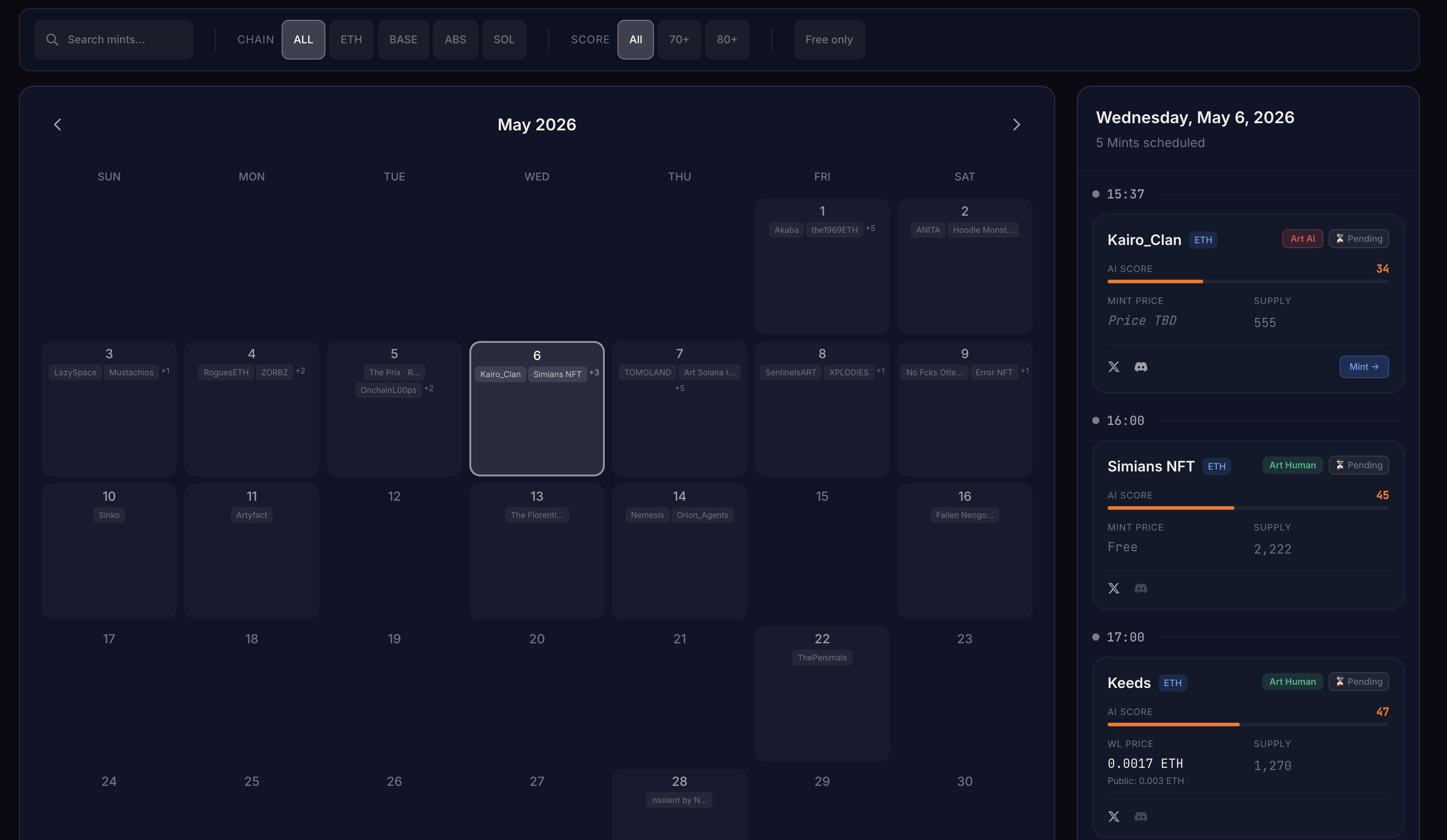
The Calendar tab is the front door. Each row is one mint launching today, sorted by mint time. Click any row to open the Mint Card.
2. Read the Mint Card
The Mint Card is the heart of Daily-Mints. Three things to check first:
- AI Score (0–100) — higher is safer. Hover the score bar to see what the colour band means.
- Verdict — one paragraph in plain English explaining what the score means and why.
- Red Flags — concrete issues found: young founder account, 1-day-old domain, reused art, etc.
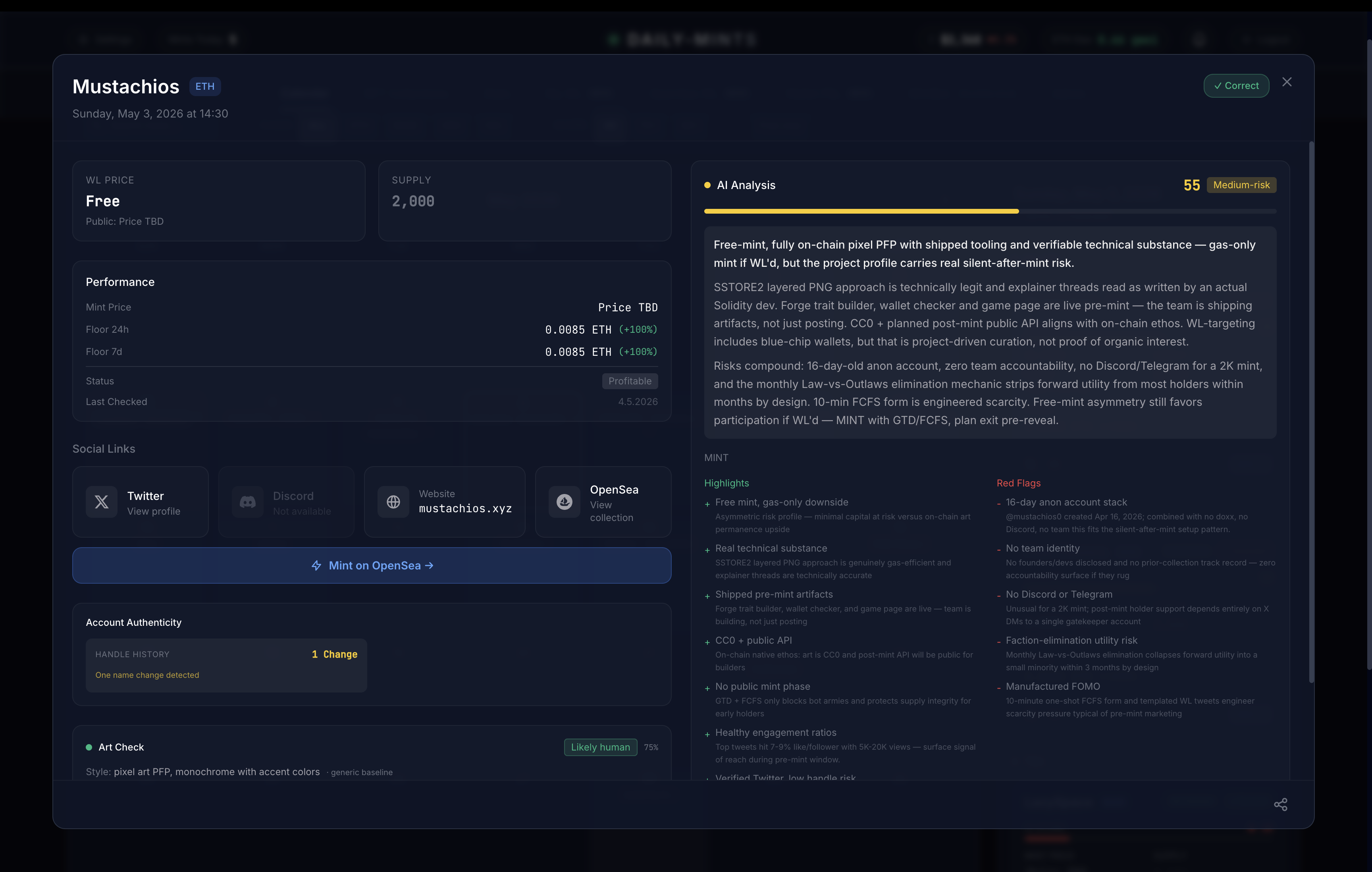
Important: the AI Score is a risk indicator, not a "buy" signal. A 90 doesn't mean it will pump — it means we found no obvious scam patterns. Always do your own research before minting.
3. Check the on-chain facts
Below the verdict you'll see hard facts:
- Holders and how concentrated they are
- Floor price — real-time, pushed via WebSocket the moment a listing changes
- Sell Wall — how many tokens are listed near the floor
4. Decide
If the card is green and the on-chain data matches the marketing, consider minting. If anything looks off — stacked sell wall, anonymous founder, recycled art — skip.
5. After the mint
Daily-Mints keeps tracking the collection: floor moves, listings, holder changes. The Mint Card updates in real time so you know when to exit. Most mints dump after reveal — plan your exit before reveal, not after.
Next steps
→ Glossary — every term explained